KDL Backup / Care
A backup you can actually verify, file by file.
FREEPRO- Version
- 1.0.0
- Updated
- 2026-08-04
- Runs on
- Windows · Linux
- Who it's for
- Everyone
- Status
- Stable release
- Publisher
- KDL TECH
The Windows installer ships without a code-signing certificate: SmartScreen may warn you on first launch, and Smart App Control may refuse the file on recent Windows 11 installs. macOS: not offered for now, the executable has never been tried on a Mac.
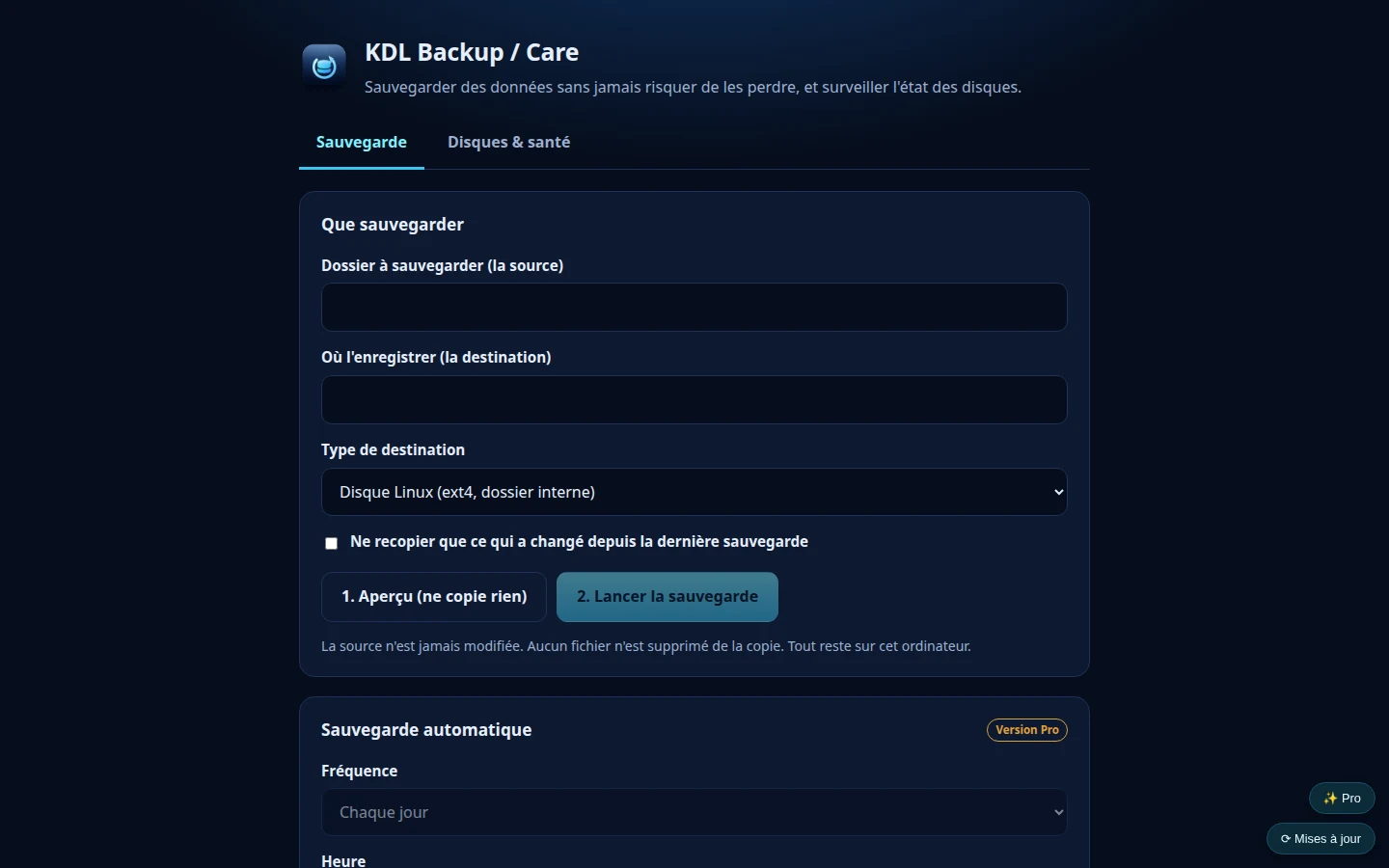
Real screenshot of the application
A backup you can actually verify, file by file.
KDL Backup / Care copies your folders and then checks every file against its SHA-256 fingerprint. The original is never modified and nothing is ever deleted automatically. The application also shows disk health, so a tired drive can be spotted before it fails.
- You know whether the copy is truly identical to the original: every file is checked
- Your original files are never modified or deleted
- Later copies only pick up what has changed
- A tired disk gets spotted before it fails
- Windows, macOS and Linux
Two editions, one program
The Free version is complete and costs nothing. The Pro edition adds features without removing anything from Free.
KDL Backup / Care Free
Free
- Copy verified with SHA-256 fingerprints
- Only copies what has changed
- Disk health overview
- The source is never modified
KDL Backup / Care Pro
€19.90
Not downloadable yet
- Everything in the Free edition
- Scheduled automatic backup
- Printable client report
One-off purchase · perpetual licence · no subscription
| Feature | Free | Pro |
|---|---|---|
| Copy verified file by file (SHA-256) | ✓ | ✓ |
| Only copy what has changed | ✓ | ✓ |
| Disk health overview | ✓ | ✓ |
| Scheduled automatic backup | — | ✓ |
| Printable client report | — | ✓ |
Pick your system
Direct download, no account and no sign-up. The Windows installer ships without a code-signing certificate: SmartScreen may warn you on first launch, and Smart App Control may refuse the file on recent Windows 11 installs. macOS: not offered for now, the executable has never been tried on a Mac.
SHA-256 checksums for every file are published on the downloads page, so you can verify that the file you received is really ours.
What the software does with your data
The guardrails are strict: read-only on the source, no silent deletion, and a readable report of what was copied.
Written by KDL TECH
A named workshop in Les Abymes, not an anonymous publisher. Company number published in the footer.
Verifiable download
The SHA-256 fingerprint of every file is published: you can check what you install.
No account, no cloud
The software runs on your machine. Nothing leaves for the internet without your say-so.
Support from the person who codes
A question or a bug: you write to the author of the software, not to a form.
Frequently asked questions
Why verify with SHA-256?
Because a copy that reports itself as finished is not always identical to the original. The fingerprint proves it.
Can the application erase my files?
No. It never deletes anything automatically on the source.
A question about KDL Backup / Care?
Support comes from the workshop that wrote the software.