KDL Memo
A sticky note on your desktop that comes back on time.
FREEPRO- Version
- 0.5.1
- Updated
- 2026-09-03
- Runs on
- Windows · Linux
- Who it's for
- Everyone
- Status
- Stable release
- Publisher
- KDL TECH
Tested on Linux (.deb) and on Windows 10/11. macOS: not offered for now, the executable has never been tried on a Mac. The Windows installer ships without a code-signing certificate: SmartScreen may warn you on first launch.
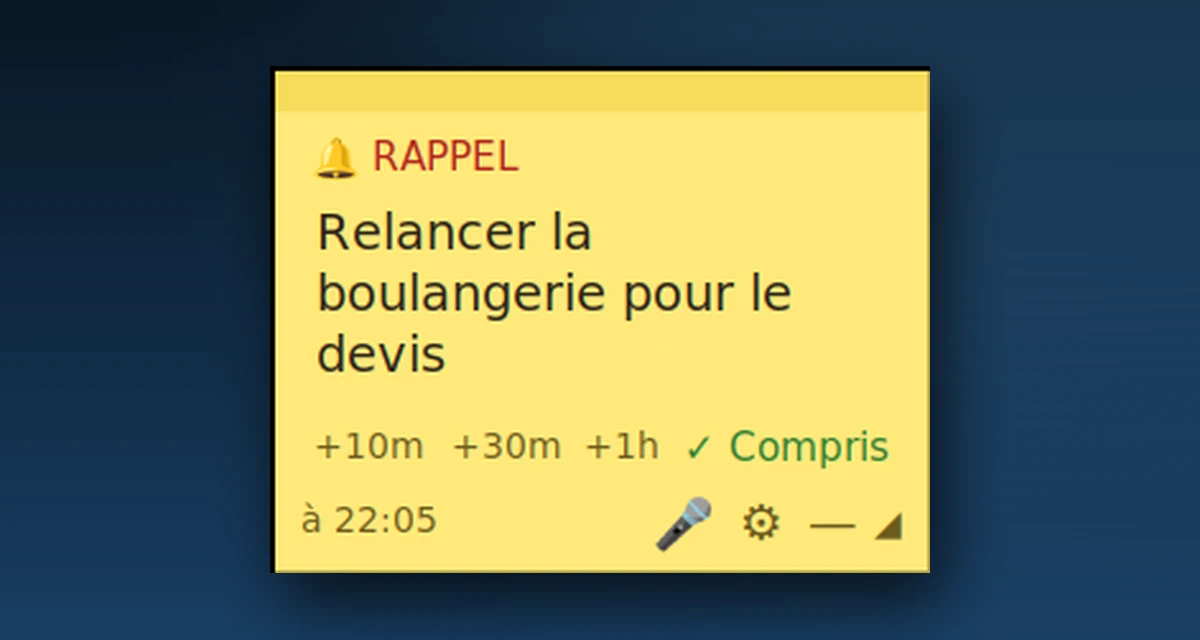
Real screenshot of the application
A sticky note on your desktop that comes back on time.
KDL Memo shows a permanent yellow note on your desktop. You write a reminder in one sentence and it comes back at the time you set. Everything works offline and the data stays on the machine. The software comes in two editions: Free, which costs nothing and is already useful, and Pro, which adds dictation, AI and Spanish.
- A reminder written in one sentence comes back on time
- Snooze it by ten minutes or an hour in one click
- It stays visible on the desktop, not buried in an app
- Your notes never leave your computer
- Works offline
What it looks like
Two editions, one program
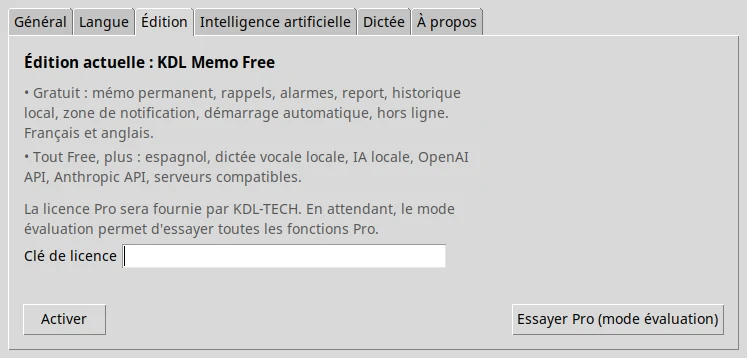
The Free version is complete and costs nothing. The Pro edition adds features without removing anything from Free.
KDL Memo Free
Free
Not downloadable yet
- Permanent note, reminders, alarms, snooze
- Local history, export / import
- Tray icon, automatic start-up, offline
- French, English
KDL Memo Pro
€19.90
Not downloadable yet
- Everything in the Free edition
- Local voice dictation
- Local AI (no internet)
- OpenAI API, Anthropic API, compatible servers
- Spanish
One-off purchase · perpetual licence · no subscription
| Feature | Free | Pro |
|---|---|---|
| Permanent note, reminders, alarms, snooze | ✓ | ✓ |
| Local history, export / import | ✓ | ✓ |
| Tray icon, automatic start-up, offline | ✓ | ✓ |
| French, English | ✓ | ✓ |
| Spanish | — | ✓ |
| Local voice dictation | — | ✓ |
| Local AI (no internet) | — | ✓ |
| OpenAI API, Anthropic API, compatible servers | — | ✓ |
Pick your system
Direct download, no account and no sign-up. Tested on Linux (.deb) and on Windows 10/11. macOS: not offered for now, the executable has never been tried on a Mac. The Windows installer ships without a code-signing certificate: SmartScreen may warn you on first launch.
SHA-256 checksums for every file are published on the downloads page, so you can verify that the file you received is really ours.
What the software does with your data
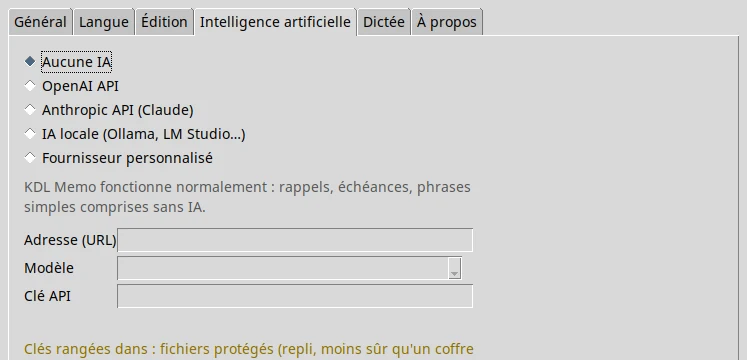
Reminders and deadlines work without any AI and without a connection. AI is an option of the Pro edition, enabled only if you decide to.
Written by KDL TECH
A named workshop in Les Abymes, not an anonymous publisher. Company number published in the footer.
Verifiable download
The SHA-256 fingerprint of every file is published: you can check what you install.
No account, no cloud
The software runs on your machine. Nothing leaves for the internet without your say-so.
Support from the person who codes
A question or a bug: you write to the author of the software, not to a form.
Frequently asked questions
Do I need an AI to use KDL Memo?
No. Reminders, deadlines and simple sentences work without any AI. AI is an option of the Pro edition.
When will the Free version be downloadable?
As soon as the Windows beta has been validated. The Linux (.deb) build is already tested.
A question about KDL Memo?
Support comes from the workshop that wrote the software.