
KDL Protect
Scan a file or folder with the antivirus already installed on your PC, and understand the result.
FREE- Version
- 0.5.2
- Updated
- 2026-09-24
- Runs on
- Windows 10/11 · Linux
- Engine
- Microsoft Defender · ClamAV
- Status
- Free preview
- Publisher
- KDL TECH
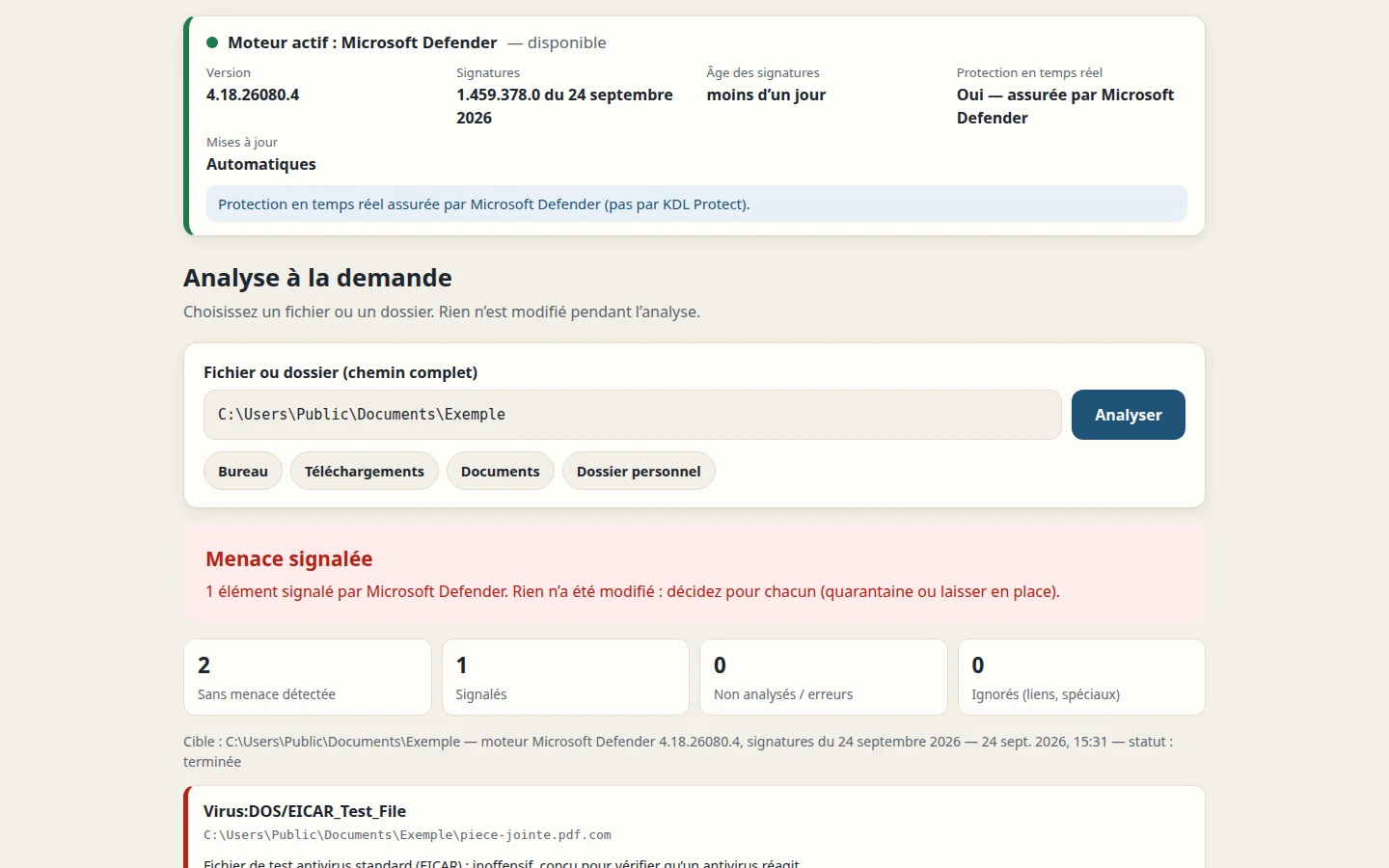
Real screenshot of the application (EICAR antivirus test file, harmless)
An antivirus result you can actually understand.
A file you received worries you, a suspicious USB stick, a folder to check: KDL Protect runs the scan with your system's engine (Microsoft Defender on Windows, ClamAV on Linux), shows that engine's status and the age of its signatures, then explains the result in plain English. A flagged file can be quarantined in one click, and restored at any time.
What KDL Protect is not: an antivirus engine or real-time protection. On Windows, Microsoft Defender keeps protecting you in real time; KDL Protect never disables or changes it.
- On-demand scan of a file or folder
- Engine, version and signature age displayed
- Result explained: never "file is safe", always "no threat detected by the engine"
- Verified quarantine and restore without overwriting anything
- Local history and log, no telemetry
- Portable version for USB sticks (Windows)
Pick your system
Direct download, no account needed. The Windows files are distributed without a code-signing certificate: Windows may show a warning on first launch. The portable version only runs the official Node.js engine, signed by its publisher. Tested on Windows 11 (Smart App Control active) and on Linux Mint 22.
Installer — 23.8 MB Windows portable
.zip archive, no install needed — 33.4 MB Linux
.deb package (Debian, Ubuntu, Mint) — 28.6 MB
Linux: also install ClamAV, provided by your distribution: sudo apt install clamav clamav-freshclam. Portable: unzip the whole archive, then run "Lancer KDL Protect.cmd".
SHA-256 checksums for every file are published on the downloads page, so you can verify that the file you received is really ours.
For technicians and businesses
The Pro edition is not on sale yet. It will add: scan profiles and scheduled scans, searchable history, PDF service reports, guided security diagnosis, and an optional AI assistant that explains an alert (local by default, no file sent, every submission shown before your consent). Quarantine, restore and your results always stay accessible, with or without a licence.
What the software does with your data
KDL Protect runs on your machine: the interface opens in your browser but is only accessible from your computer. No file is ever sent, no telemetry.
Written by KDL TECH
A named workshop in Les Abymes, not an anonymous publisher. Company number published at the bottom of the page.
Verifiable download
The SHA-256 fingerprint of every file is published: you can check what you install.
Nothing deleted without you
No automatic deletion. Quarantine keeps a verified copy, restorable at any time.
Support from the person who wrote the code
A question or a bug: you write to the author of the software, not to a form.
Frequently asked questions
Is KDL Protect an antivirus?
No. KDL Protect drives the antivirus already present on your computer: Microsoft Defender on Windows, ClamAV on Linux. It doesn't claim any engine of its own and doesn't provide real-time protection; on Windows, that's still handled by Microsoft Defender.
Does "no threat detected" mean my file is safe?
No. It means the engine didn't recognise any known threat with its current signatures. KDL Protect always phrases it this way, never "file is safe".
Are my files sent anywhere?
No. The scan runs on your machine, with no telemetry. No file is ever sent.
What happens to a quarantined file?
It's copied in a non-executable form, the copy is verified, and only then is the original removed. You can restore it at any time, without overwriting anything. Nothing is ever deleted automatically.
What do I need on Linux?
ClamAV, provided by your distribution: sudo apt install clamav clamav-freshclam. KDL Protect doesn't bundle it and shows the age of its signatures.
What's the difference between the installer and the portable version (Windows)?
The installer adds KDL Protect to the Start menu. The portable version can be unzipped anywhere, for example on a USB stick, with no installation or admin rights: its results and quarantine stay inside its own folder.
What about the Pro edition?
It's in preparation and not on sale yet: scan profiles and scheduled scans, searchable history, PDF service reports, guided diagnosis and an optional local AI assistant.
Microsoft Defender is a component of Windows. ClamAV® is a trademark of Cisco; ClamAV is distributed separately by your system and is neither included in nor modified by KDL Protect.
A question about KDL Protect?
Support comes from the workshop that wrote the software.